 Wir freuen uns, dass Sie und Ihr Kind sich für eine ausgezeichnete Schule interessieren - ausgezeichnet mit dem Prädikat: „Schule mit hervorragender Berufs- und Studienorientierung“ im Land Brandenburg. Laudatio des Netzwerk Zukunft. Schule und Wirtschaft für Brandenburg e.V.
Every template built on Vertex also comes with its own unique template specific options applicable to that particular template such as highlight colors, social icons, and much more. These features are in addition to the standard functions of Vertex, and are still controlled through the very user friendly interface of Vertex. This page will document the features specific to this template.
Theme Specific Configuration Interface of Vertex
Below is a screenshot that shows all the template specific features available in the user friendly Vertex admin: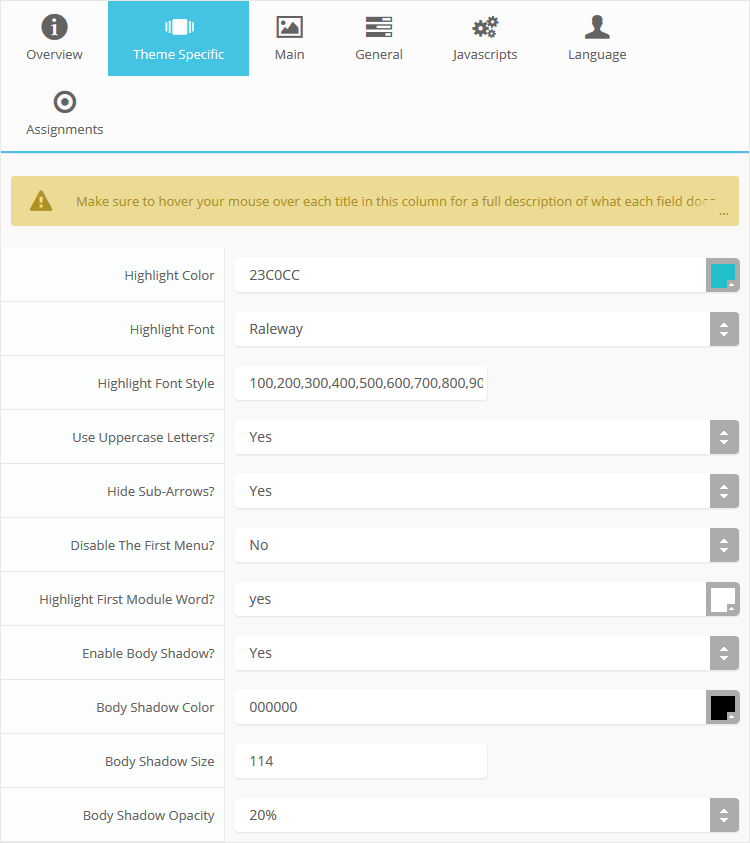
Custom Highlight Colors
Stylize your site with any color you want. Set your own custom color scheme with the built in highlight color. This controls menu items, titles, buttons, hover over effects, backgrounds, and much more. You can set this color to any color that you want. In addition, you can set the background color of any row and the background color of the main body via the default Vertex features. Use the links under the Styles menu item to see some live examples.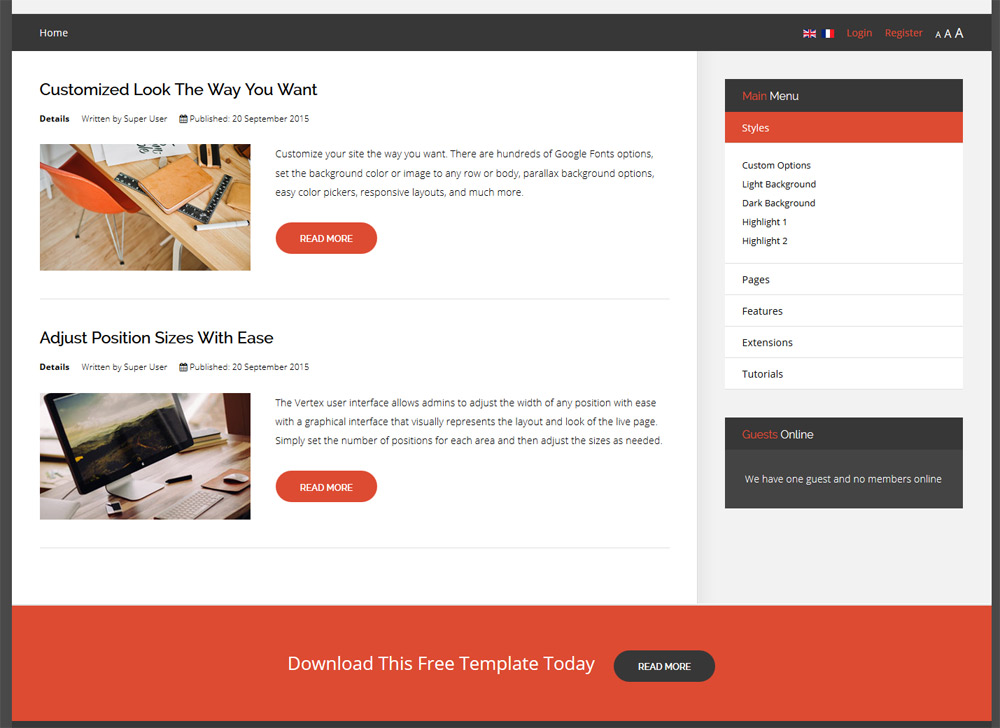
Custom Highlight Font
Choose a custom highlight font powered by Google fonts. You can set a custom font for the titles, buttons, and much more. This is used in conjunction with the default site font which is controlled under the Layout tab of Vertex, and controls many other elements as well.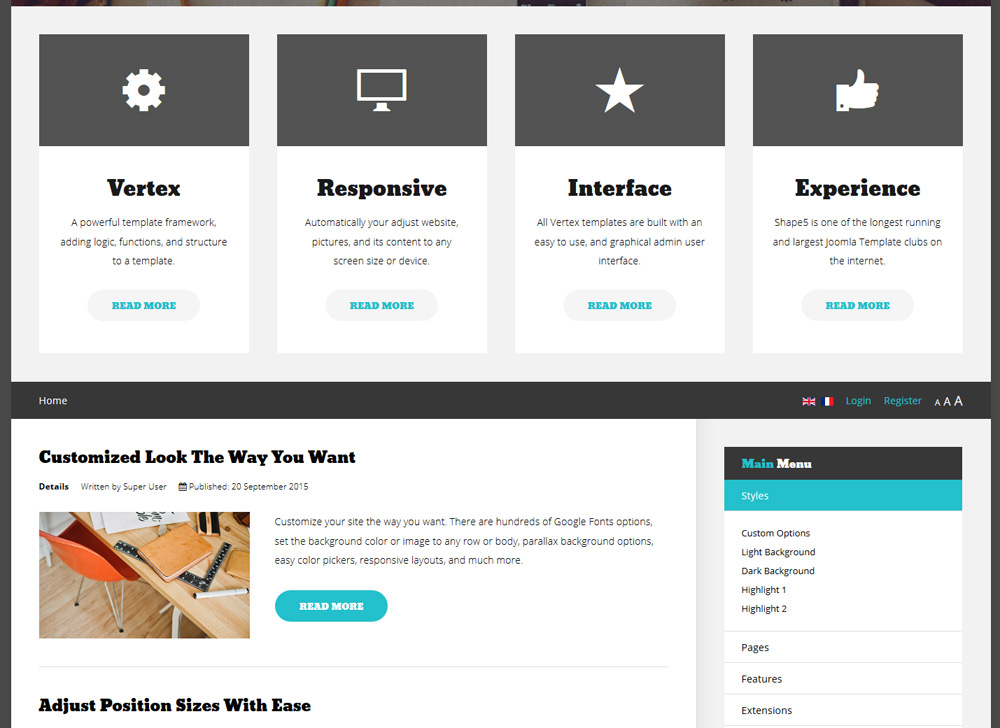
Uppercase Letters
Choose to enable or disable uppercase letters on most menu items, buttons, titles and more.

Hide Menu Arrows and First Menu Item
With this option you can disable the menu item sub menu arrows on first level parent items. There is also an option to hide the first menu item entirely.
Menu Titles
Enable or disable the highlight color on the first word on most module classes.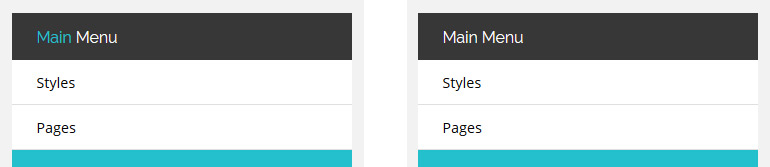
Body Shadow
Around the edge of the main body there is shadow effect. You can disable this shadow or adjust its size, color, and opacity to any setting you would like.